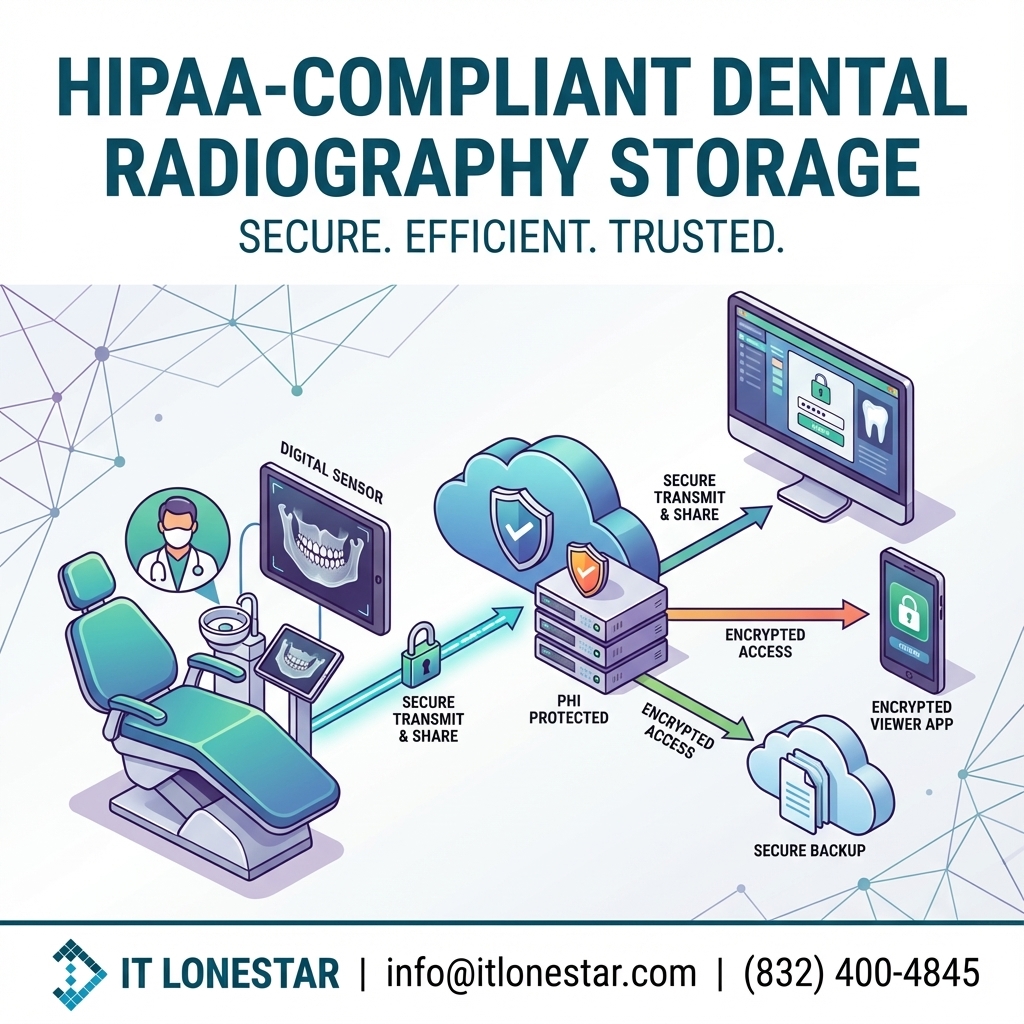
IT LONESTAR Solution works with Houston and Austin dental practices to design, secure, and maintain HIPAA-compliant radiography storage using a practical, step‑by‑step approach:
1. **Full imaging & PHI inventory**
– Map every system that touches radiographs: sensors, CBCT, workstations, servers, NAS, cloud storage, laptops, and mobile devices.
– Identify all data flows: capture, review, sharing with specialists, backups, and patient portals.
2. **HIPAA‑aligned storage architecture**
– Design a secure on‑prem, hybrid, or cloud PACS/storage solution appropriate for practice size and budget.
– Implement centralized, access‑controlled storage so images don’t live on scattered PCs.
– Ensure all chosen platforms support encryption, auditing, and Business Associate Agreements (BAAs).
3. **Encryption & access control**
– Enable encryption for data at rest (servers, NAS, backups) and in transit (VPNs, secure sharing, TLS).
– Implement role‑based access, unique user IDs, strong authentication, and automatic session timeouts on imaging and practice‑management systems.
4. **Secure, tested backup & disaster recovery**
– Configure encrypted, versioned backups stored in HIPAA‑aligned locations (including off‑site/geo‑redundant options).
– Define Recovery Time Objective (RTO) and Recovery Point Objective (RPO) appropriate for a busy dental practice.
– Run regular restore tests so you know you can recover X‑rays quickly after ransomware, hardware failure, or a hurricane impacting Houston or Austin.
5. **Network hardening & segmentation**
– Segment imaging equipment from guest Wi‑Fi and non‑clinical devices.
– Apply firewall rules, intrusion prevention, and secure remote-access options for vendors and providers.
6. **Vendor & BAA management**
– Review imaging and cloud vendors, obtain and maintain BAAs, and configure systems according to HIPAA best practices rather than insecure defaults.
7. **Policies, training & documentation**
– Create or update written HIPAA policies for imaging, data retention, device usage, and incident response.
– Train staff on secure handling of radiographs, avoiding unapproved cloud services, and proper use of email and media.
– Provide documentation that supports audits, insurance requirements, and internal governance.
By partnering with IT LONESTAR Solution, Houston and Austin dental practices gain a secure, resilient imaging environment that supports growth, improves patient trust, and reduces regulatory risk while keeping daily workflows simple for clinical staff.