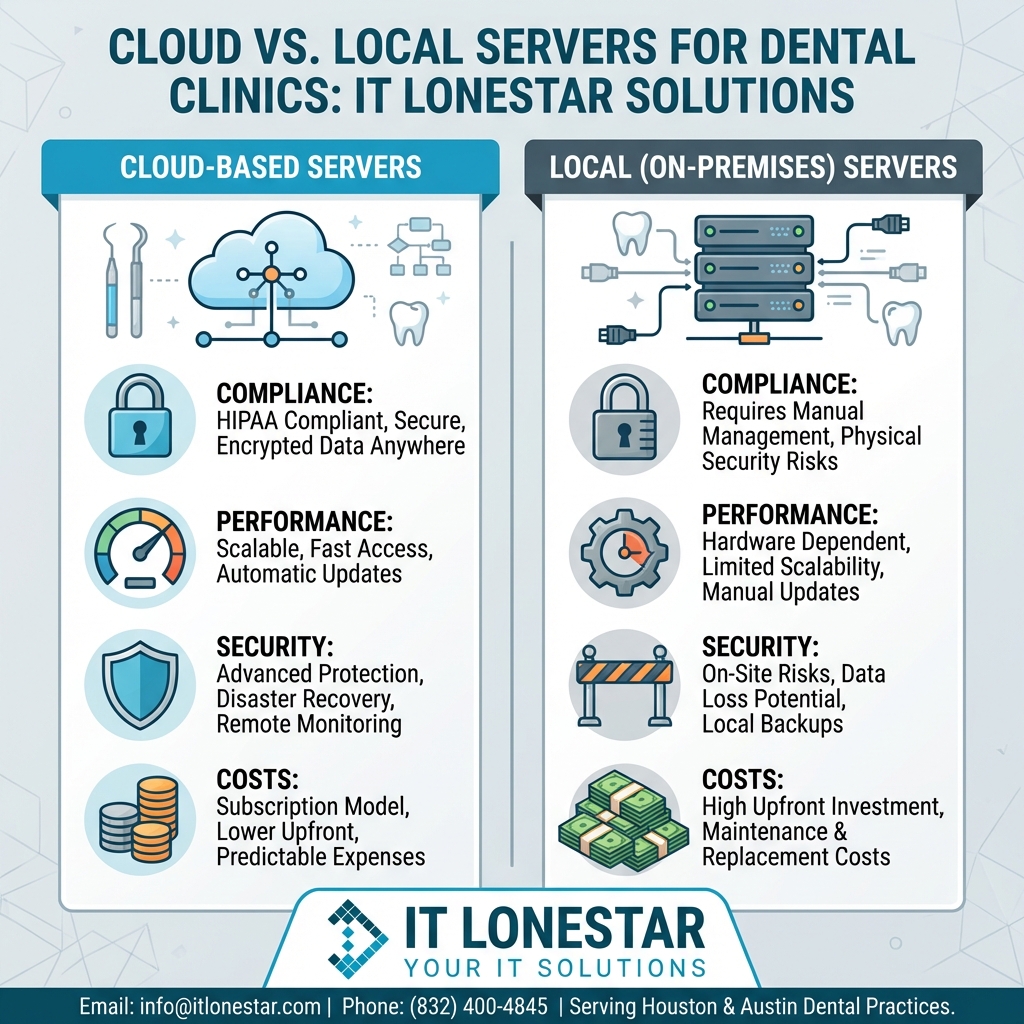
At IT LONESTAR, we help Houston and Austin dental clinics make a clear, business‑driven choice between cloud, local servers, or a hybrid model—not just follow a trend.
1. Assessment of your current environment
– Review your practice management software, imaging systems, sensors, and 3D/CBCT requirements
– Map internet reliability and bandwidth at your location
– Evaluate your current server’s age, specs, security, and backup strategy
– Identify HIPAA and data‑retention requirements
2. Cloud vs Local vs Hybrid recommendation
– Cloud-first: For growing or multi-location clinics that want remote access, easier scaling, and predictable monthly costs, we design a secure cloud environment (Microsoft Azure or similar) with encrypted storage, MFA, and HIPAA-ready controls.
– Local-first: For imaging-heavy single offices with limited bandwidth, we deploy a modern on-premises server with SSDs, redundancy, and automated, encrypted offsite backups.
– Hybrid: For many clinics, we keep large imaging data local (for speed) while moving practice management, email, and collaboration to the cloud for flexibility and disaster recovery.
3. Secure, compliant implementation
– Encrypt data at rest and in transit
– Set up user roles, MFA, and access logging
– Configure automated, tested backups with defined recovery objectives
– Implement endpoint protection and patch management for all workstations
4. Ongoing monitoring and support
– 24/7 health monitoring of servers and cloud services
– Proactive patching and security updates
– Helpdesk for staff in Houston and Austin
– Regular review of capacity, performance, and compliance
By combining local performance where it matters with cloud resilience and flexibility, IT LONESTAR builds a tailored infrastructure so dental teams can focus on patients instead of IT.